

Prerequisites
- An AWS account with Athena enabled
- An IAM user or role with an access key for Basedash
- An S3 location for query results, unless your Athena workgroup enforces one
Connection setup
- Open the Data page and click Add data source
- Select AWS Athena
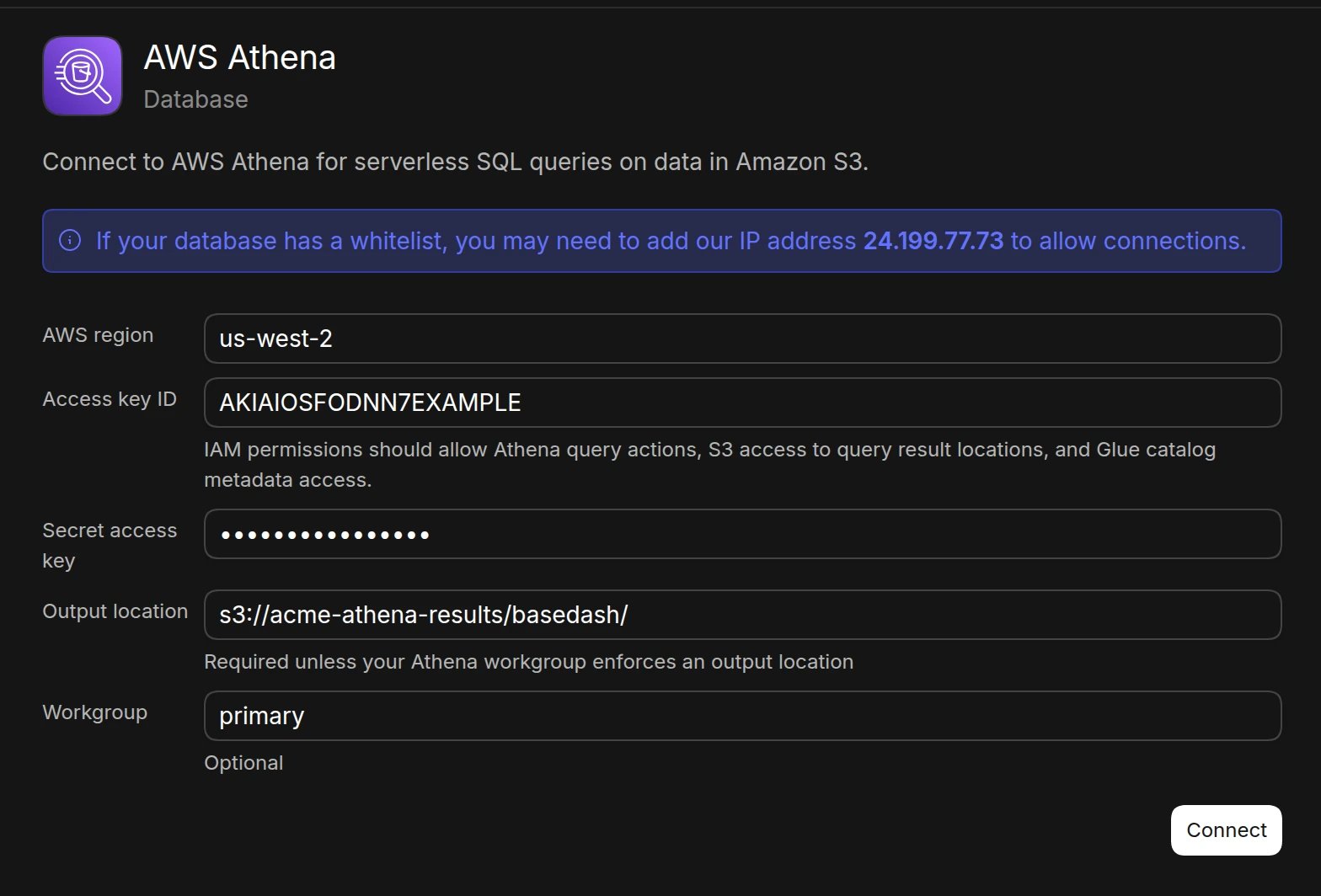
- Enter your connection details:
- AWS region (e.g.,
us-east-1) - Access key ID
- Secret access key
- Output location (e.g.,
s3://my-athena-results/path/). Required unless your workgroup enforces an output location - Workgroup (optional, defaults to
primary)
- AWS region (e.g.,
- Click Connect. Basedash checks the connection, then opens the new data source and starts syncing its schema.
Required permissions
The IAM credentials need permission to:- Run Athena queries (for example
athena:StartQueryExecution,athena:GetQueryExecution,athena:GetQueryResults, andathena:StopQueryExecution) - Read the S3 buckets that hold your data
- Read and write the S3 query result location
- Read AWS Glue Data Catalog metadata (databases, tables, and partitions)
Best practices
- Create a dedicated IAM user for Basedash
- Scope S3 and Glue permissions to the databases and buckets Basedash needs
- Use a dedicated workgroup to track and limit Basedash query costs
- Regularly rotate access keys
Troubleshooting
For what each connection error means and how to fix it, see Connection settings.- Verify the region matches where your Athena databases live
- If queries fail with an output location error, set the output location or configure one on the workgroup
- Check that the IAM user can read both the data buckets and the Glue catalog
- Review the Athena query history in the AWS console for detailed error messages
Next steps: Add custom context
You can add custom context to help the AI better understand your data structure and business logic. Consider adding context at the database or schema level if you notice the AI struggling to locate or understand specific data.When to add context
- Partitioned tables: When the AI should filter on partition columns to keep queries fast and cheap
- Unclear naming conventions: If table or column names don’t clearly indicate their purpose
- Business-specific metrics: If calculated fields or KPIs need additional explanation