

Prerequisites
- A PostHog Cloud (US or EU) or self-hosted PostHog instance
- The project ID of the PostHog project you want to analyze
- A personal API key with access to that project
Connection setup
- In PostHog, go to Settings > Personal API keys and create a key with the
query:readscope for your project - In Basedash, open the Data page and click Add data source
- Select PostHog
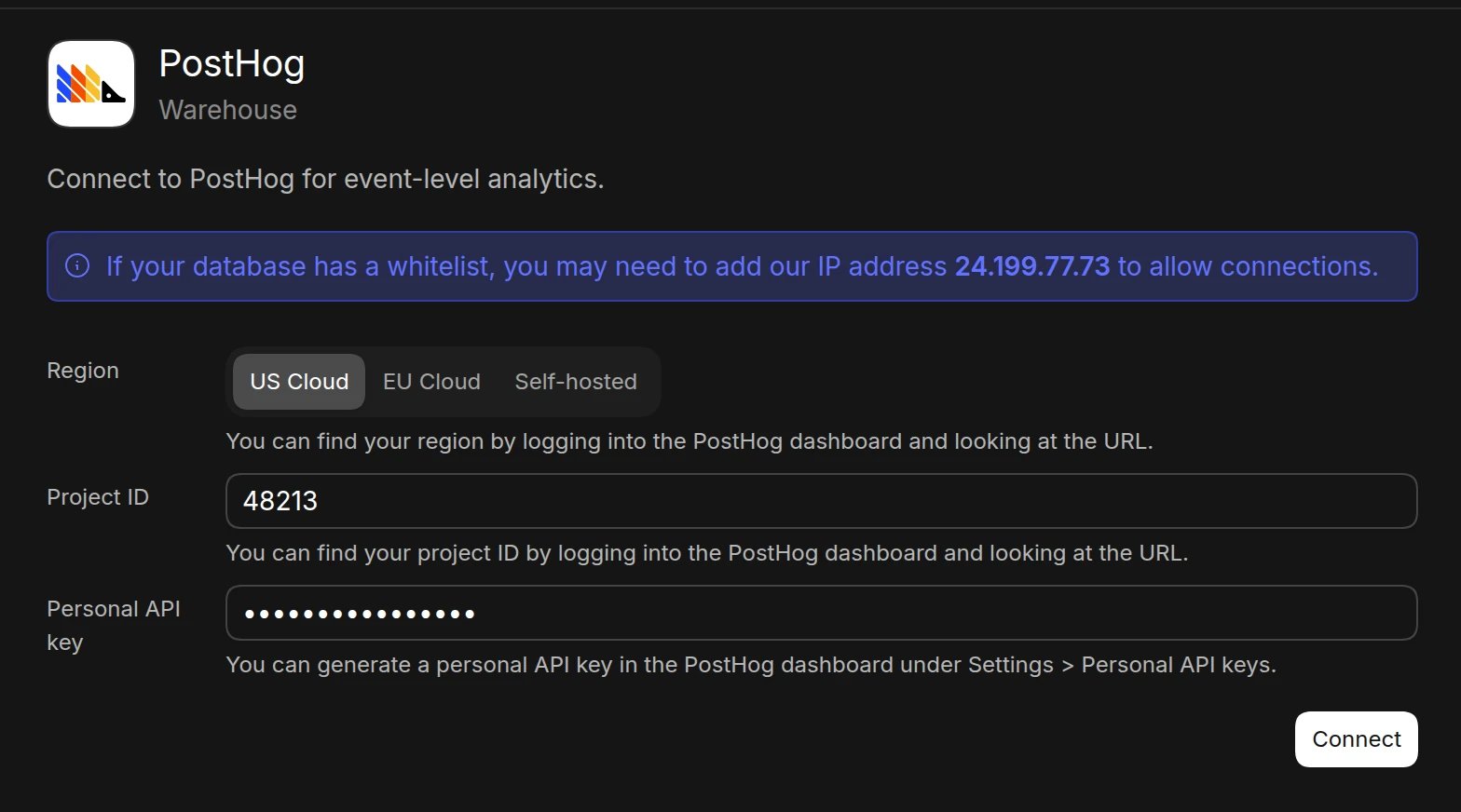
- Enter your connection details:
- Region: US Cloud, EU Cloud, or Self-hosted. For self-hosted instances, enter your PostHog host (e.g.,
https://posthog.example.com) - Project ID. You can find it in the PostHog dashboard URL
- Personal API key
- Region: US Cloud, EU Cloud, or Self-hosted. For self-hosted instances, enter your PostHog host (e.g.,
- Click Connect. Basedash checks the connection, then opens the new data source and starts syncing its schema.
Best practices
- Create a dedicated personal API key for Basedash
- Limit the key to the projects Basedash needs
- Regularly rotate API keys
Troubleshooting
For what each connection error means and how to fix it, see Connection settings.- Verify the region matches the URL you use to log in to PostHog (
us.posthog.comoreu.posthog.com) - Confirm the project ID belongs to the organization the API key has access to
- Check that the API key includes the
query:readscope
Next steps: Add custom context
You can add custom context to help the AI better understand your data structure and business logic. Consider adding context at the database or schema level if you notice the AI struggling to locate or understand specific data.When to add context
- Custom events and properties: When the AI needs to know which events and properties map to key actions
- Business-specific metrics: If activation, retention, or conversion definitions need explanation
- Person properties: When the AI should know which properties identify plans, companies, or cohorts