

Connection URI (recommended)
The easiest way to connect is by using the connection string (URI) method. In Basedash, press Cmd/Ctrl K and paste your connection string to start the connection flow immediately. Example (Transaction Pooler):Note: The password is not visible in the Supabase dashboard. Make sure you have access to it—this may be stored in a password manager like 1Password or LastPass, or you may need to contact a teammate who has the credentials.
Tip: Labels and connection methods may differ depending on your hosting provider (GCP, AWS, DigitalOcean, etc.). Always check your provider’s documentation for the latest info.After clicking the “Connect” button in your Supabase project dashboard, you’ll see options for Direct connection, Transaction pooler, and Session pooler. Always use the Transaction Pooler (port 6543) for best performance and compatibility with Basedash.
Manual connection details
If you prefer to enter credentials manually, use the following details (from the Transaction Pooler section):- Go to your Supabase project dashboard
- Click on the “Connect” button in the header
- In the Transaction Pooler section, use these details:
- Host: the shared pooler host,
aws-<index>-<region>.pooler.supabase.com(for example,aws-0-us-west-1.pooler.supabase.com). Copy it from the Connect dialog, since the index can’t be worked out from your region. - Port:
6543(Transaction Pooler port) - Database name:
postgres - Username:
postgres.<project-ref>. Pooler connections add your project ref to the username. - Password: Your database password
- Host: the shared pooler host,
- In Basedash, open the Data page and click Add data source
- Select Supabase, enter the details from step 3, and keep SSL on
- Click Connect. Basedash checks the connection, then opens the new data source and starts syncing its schema.
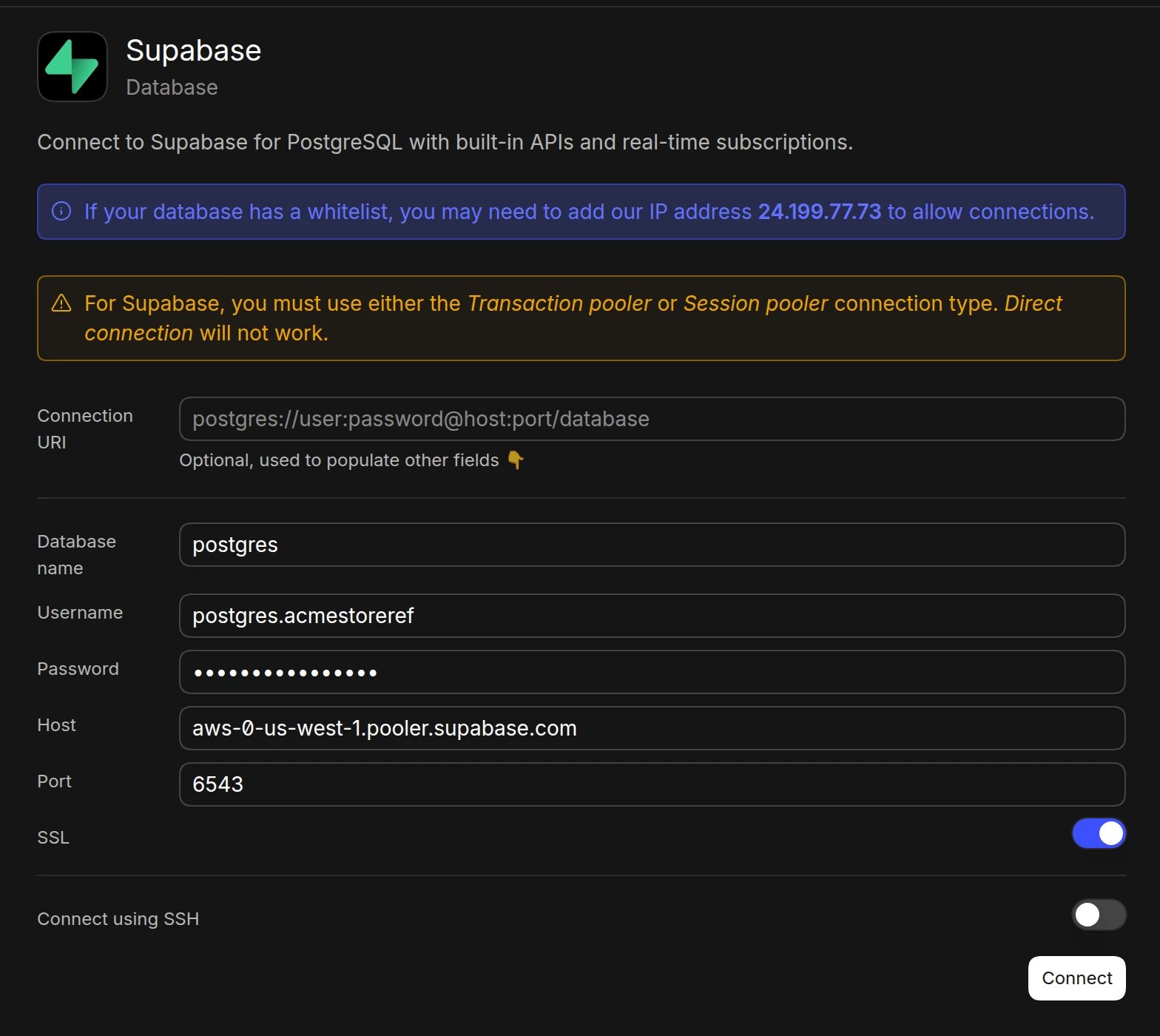
Important: Always use the Transaction Pooler connection method (port 6543) instead of direct connection (port 5432). The Transaction Pooler provides better connection management and performance for your database queries.
Security
- Basedash encrypts all database credentials and connection information
- All queries are executed through secure, encrypted connections
- You can create a read-only user in Supabase for added security
Troubleshooting
- If the connection times out, make sure your network allows
24.199.77.73. - Make sure you copied the Transaction Pooler connection details (port 6543), not the direct connection.
Next steps
After connecting your Supabase database, you can:- Create charts and dashboards
- Query your data using natural language
- Set up automations
- Share insights with your team