

Prerequisites
- A MotherDuck account
- The regional PostgreSQL endpoint for your MotherDuck account
- The name of the MotherDuck database you want Basedash to access
- A MotherDuck service-account or read-scaling access token
Connection setup
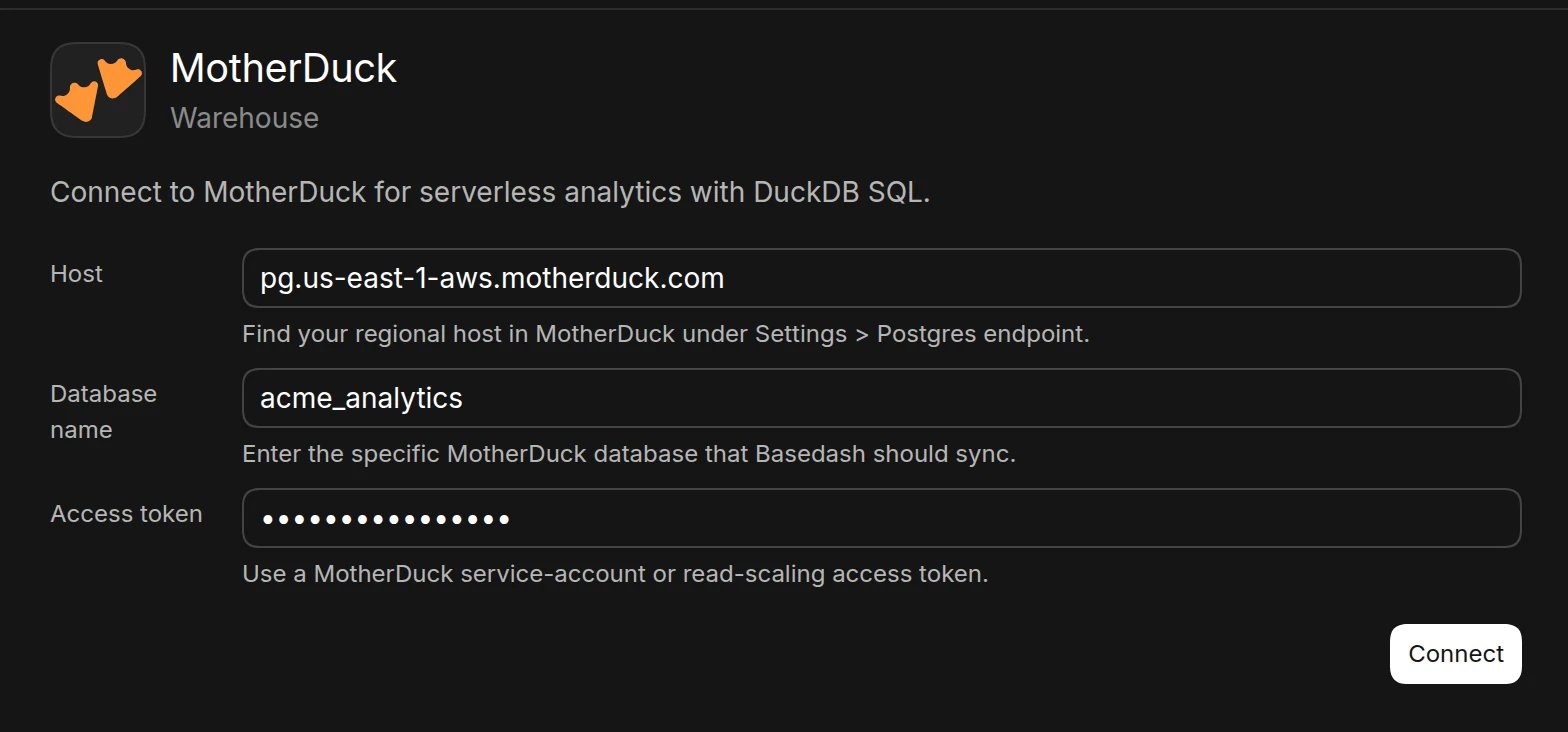
- Open the Data page and click Add data source
- Select MotherDuck
- Under Host, enter your regional PostgreSQL endpoint. Find it in MotherDuck under Settings > Postgres endpoint
- Under Database name, enter the name of the MotherDuck database that Basedash should sync
- Under Access token, enter a MotherDuck service-account or read-scaling access token
- Click Connect. Basedash checks the connection, then opens the new data source and starts syncing its schema.
Best practices
- Create a dedicated service account for Basedash
- Use a read-scaling token so Basedash queries do not compete with other workloads
- Grant access only to the database Basedash needs
- Regularly rotate access tokens
Troubleshooting
For what each connection error means and how to fix it, see Connection settings.- Verify that you entered the regional PostgreSQL endpoint, not a MotherDuck API URL
- Confirm that the database name is specific and exists in your MotherDuck account
- Check that the access token is active and has access to the selected database
- Verify that the token is a service-account or read-scaling token
Next steps: Add custom context
You can add custom context to help the AI better understand your data structure and business logic. Consider adding context at the database or schema level if you notice the AI struggling to locate or understand specific data.When to add context
- Complex transformed data: When the AI needs help understanding data transformation logic
- Business-specific metrics: If calculated fields or KPIs need additional explanation
- Unclear naming conventions: When table or column names don’t clearly indicate their purpose