

Connection URI (recommended)
The easiest way to connect is by using a connection string (URI). In Basedash, press Cmd/Ctrl K and paste your connection string to start the connection flow immediately. Example:Manual connection details
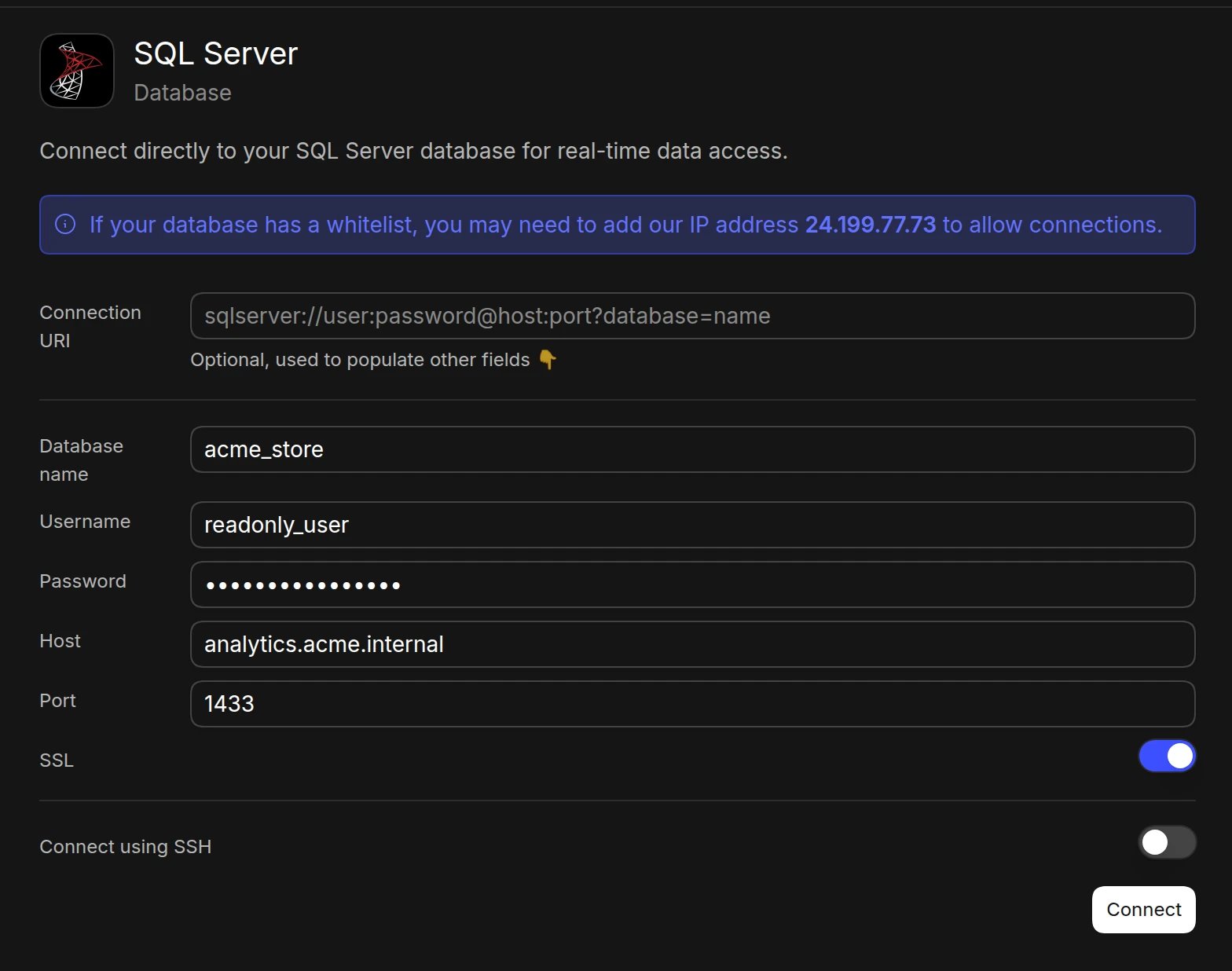
If you prefer to enter credentials manually, use the following details:- Open the Data page and click Add data source
- Select SQL Server
- Enter your connection details:
- Database name
- Username
- Password
- Host (e.g.,
your-server.database.windows.net) - Port (default: 1433)
- SSL (turn on if your server requires it)
- Click Connect. Basedash checks the connection, then opens the new data source and starts syncing its schema.
SSH tunnel
For enhanced security when your database is in a private network:- Follow the manual connection steps above, but don’t click Connect yet
- Turn on Connect using SSH
- Add our IP (
24.199.77.73) to your allowlist - Provide SSH connection details:
- SSH host and SSH port
- SSH username
- Set Authentication method to Private key (recommended) and paste your SSH private key, plus its passphrase if it has one. Password authentication is also supported.
- Click Connect
Required permissions
Create a dedicated login for Basedash and grant read access to the schemas you want to analyze:Best practices
- Use a read-only login for Basedash
- Enable SSL for secure connections
- Consider using an SSH tunnel for databases in private networks
- Regularly rotate database credentials
Troubleshooting
For what each connection error means and how to fix it, see Connection settings.- Verify firewall rules allow connections from the Basedash IP (
24.199.77.73) - For Azure SQL, add the Basedash IP to the server’s firewall rules
- Confirm the login has access to the database you entered
- Check that SQL Server authentication (not only Windows authentication) is enabled
Next steps: Add custom context
You can add custom context to help the AI better understand your data structure and business logic. Consider adding context at the database or schema level if you notice the AI struggling to locate or understand specific data.When to add context
- Unclear naming conventions: If table or column names don’t clearly indicate their purpose
- Business-specific terminology: When your data uses internal abbreviations or custom terms
- Legacy schemas: When the AI needs help understanding which tables are current