

Available on all plans. Everyone in the organization can read insights. Only
admins can change Insights settings or delete posts.
Overview
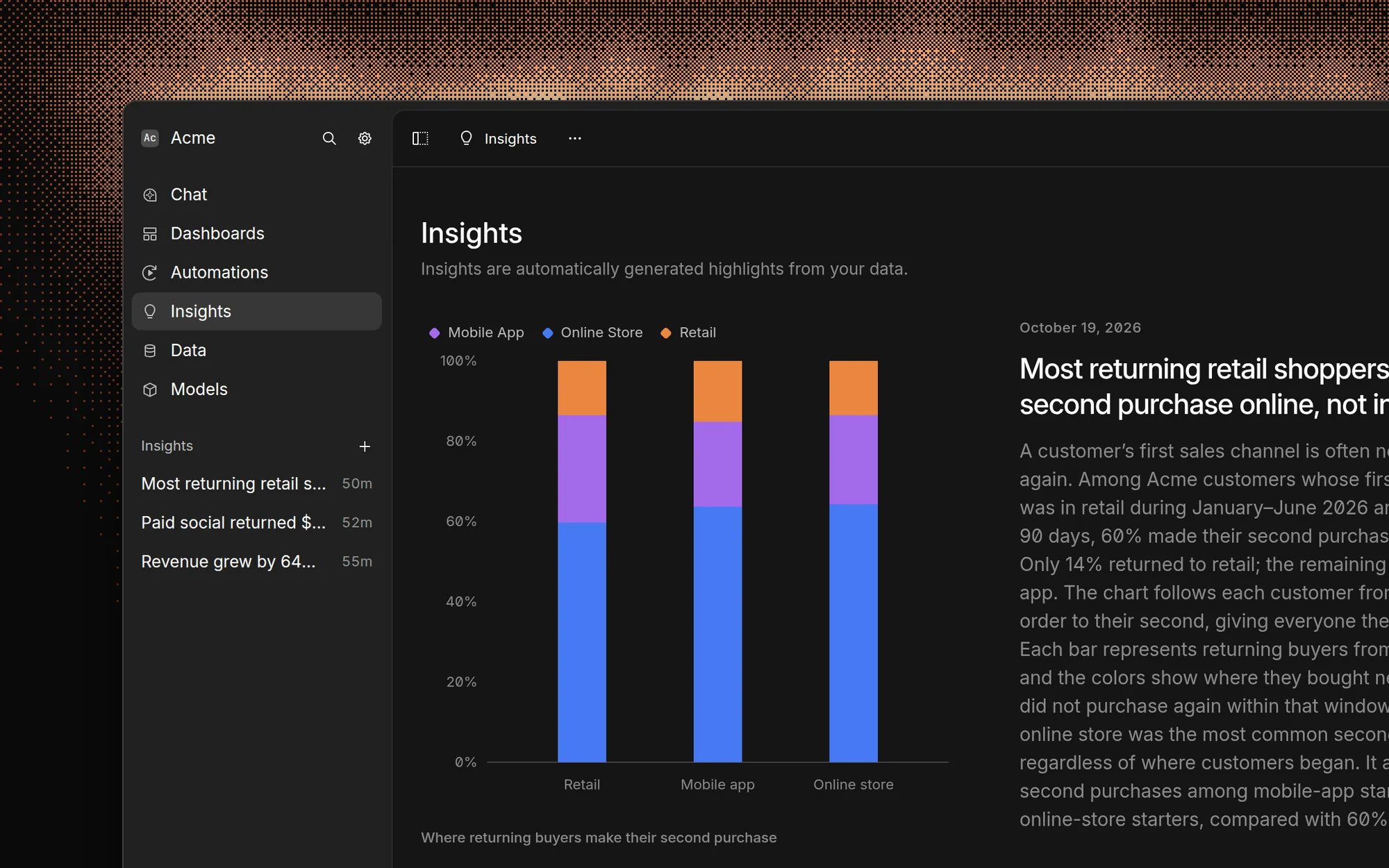
Use Insights to catch trends and anomalies that nobody thought to ask about. You don’t write prompts or pick metrics: Basedash decides what’s worth a post, and you can steer it with focus areas. Insights is different from the other ways Basedash brings data to you:- Automations answer a question you define, on a schedule or when data changes.
- Subscriptions send a snapshot of a dashboard or chart.
- Insights finds something you didn’t ask about.
Set up Insights
Admins configure Insights in Settings → Insights.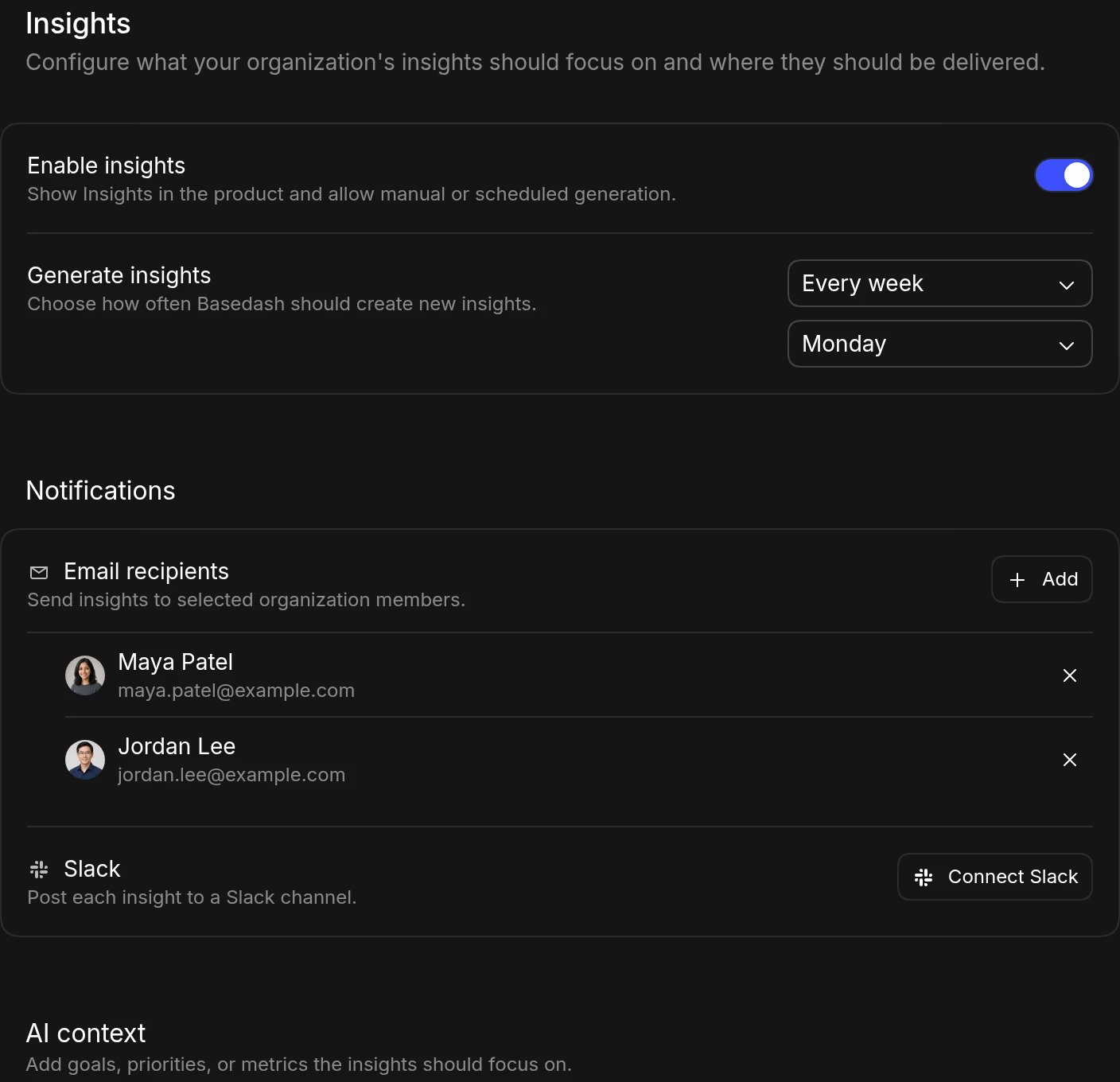
- Turn on Enable insights. This shows Insights in the sidebar and allows posts to be generated.
- Under Generate insights, choose Every day, Every weekday, Every week, or Every month. For weekly posts, pick a Day of week. For monthly posts, pick a Day of month. Choose Never to only generate posts on demand.
- Under Notifications, add Email recipients and choose a Slack channel to post each new insight to. Slack requires the Slack app.
- Under AI context, describe the goals, priorities, or metrics insights should focus on. For example: “Focus on revenue, activation, and support volume. Ignore internal test accounts.”
Read insights
Click Insights in the sidebar to open the feed. The newest post appears at the top, followed by earlier posts. Each post has a title, a short write-up with the supporting numbers, and a chart.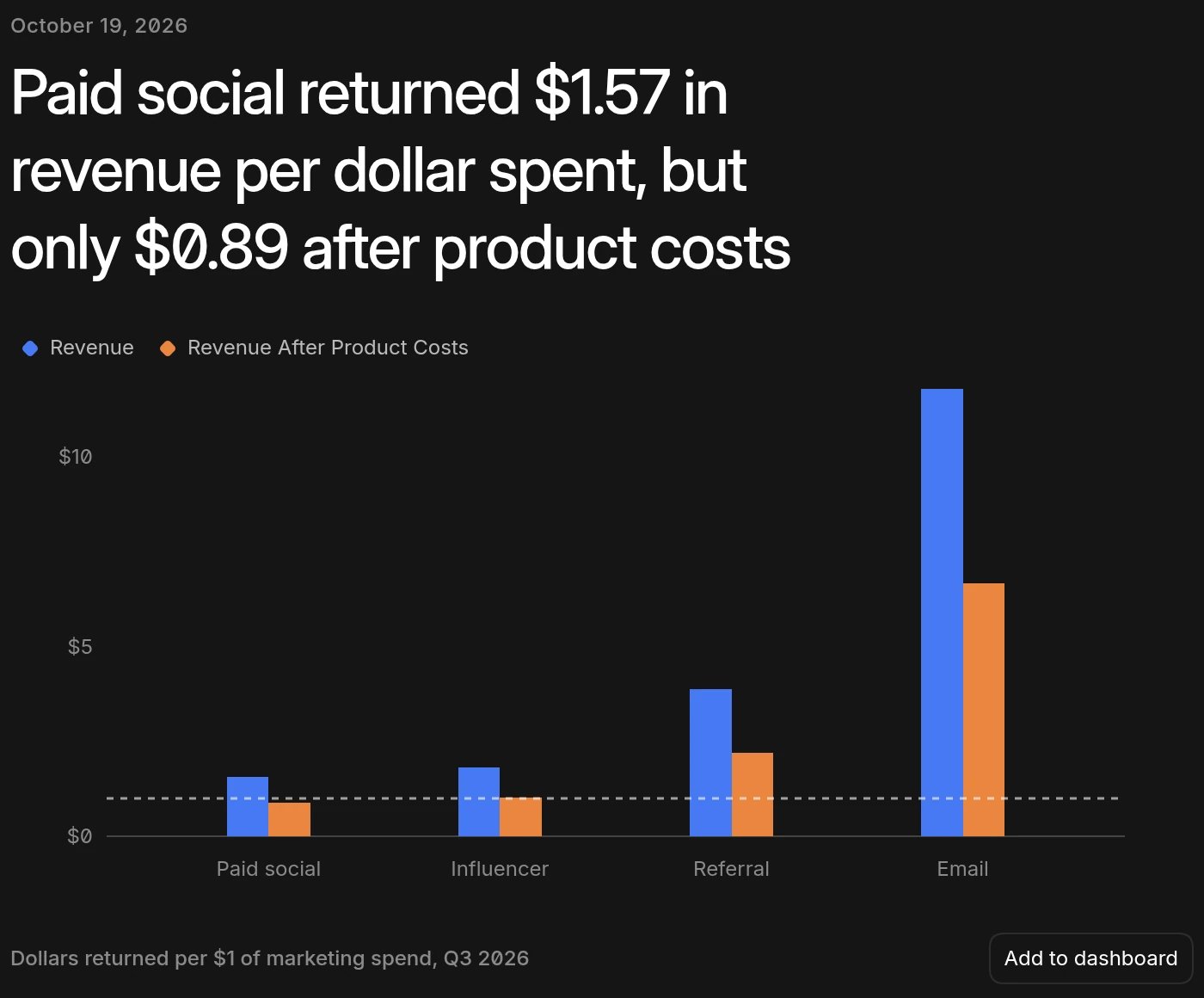
- Click Add to dashboard to save the chart to a dashboard.
- Click Continue in chat to ask follow-up questions in chat.
- Open the menu to Copy link. Admins can also Delete a post.
- Browse More insights at the bottom of the post.
Generate an insight now
To get a new post without waiting for the schedule, open the menu at the top of the Insights page and click Generate insight. Admins and members can do this; view-only members can’t. Only one insight can be generated at a time.How insights are generated
The AI looks for a new, meaningful insight across all the data sources it can query. It reads your organization’s AI context, the Insights focus areas, and recent posts, so it doesn’t repeat itself.Insights run without anyone present, so they use the data access of one
member: the organization’s earliest active admin. If your organization set up
insights through an automation named “Insight”, they run as that automation’s
creator instead. Queries are always read-only.
Embed and automate
- In full app embedding, use
hide_insightsto hide Insights, orinsight_idto open the embed on a specific post. - Admins can list, generate, and delete insights with the public API.
FAQ
Why didn't I get an insight today?
Why didn't I get an insight today?
Check that Enable insights is on and that Generate insights isn’t
set to Never or to a day that hasn’t come yet. Basedash also skips posts
when your organization is out of AI usage or the trial has ended.
Can I limit who sees an insight?
Can I limit who sees an insight?
No. Every member of the organization can read every insight. If a topic is
sensitive, use an automation shared with specific
people instead.
Can I choose the metrics insights cover?
Can I choose the metrics insights cover?
You can steer them with the AI context field in Settings → Insights,
but the AI decides what’s worth a post. To track a specific metric, use an
automation or a
subscription.
Can I send insights to people outside my organization?
Can I send insights to people outside my organization?
The settings page only lists organization members as email recipients. You
can post insights to a Slack channel that includes other people.