

The SQL editor
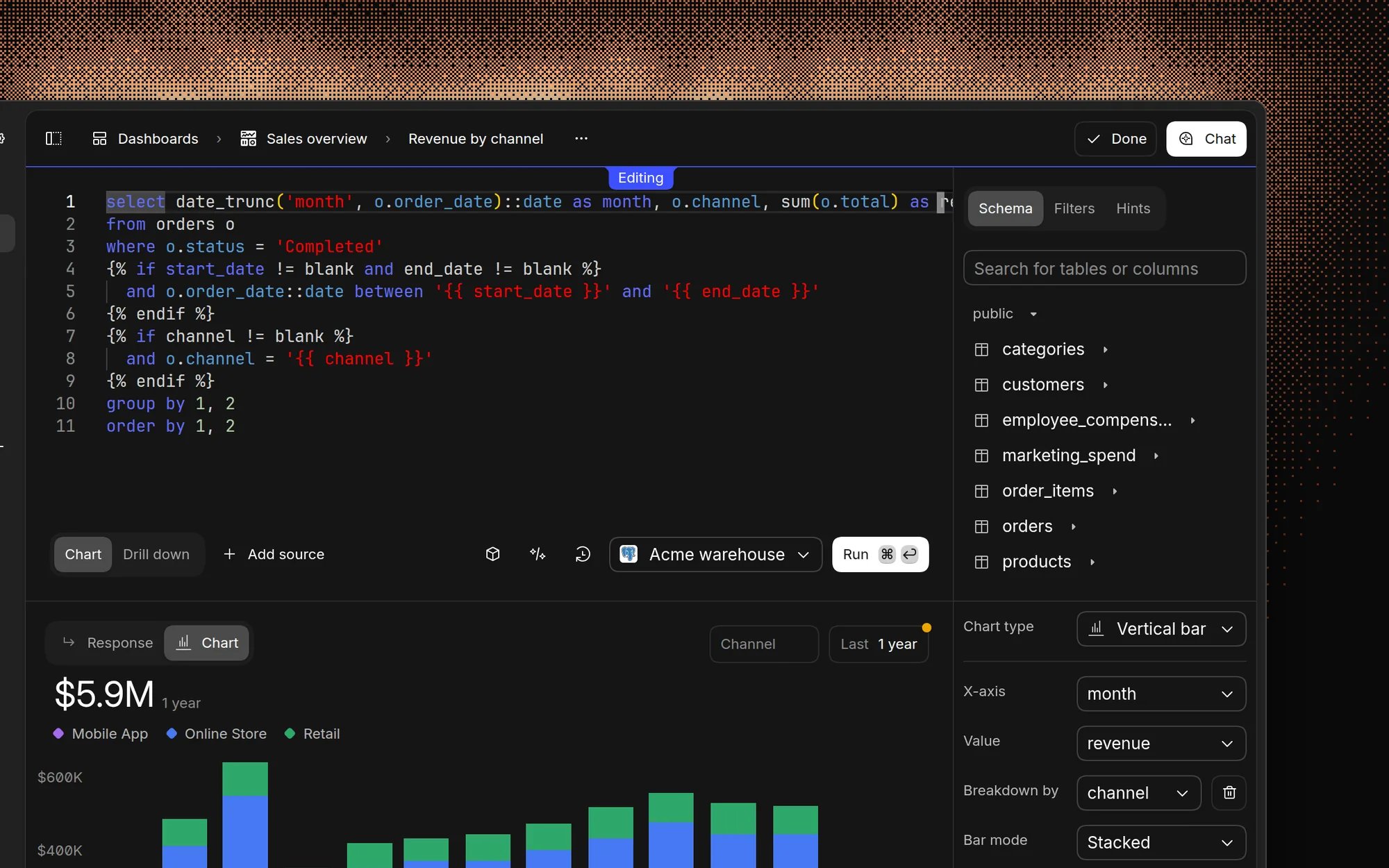
Features
- Syntax highlighting
- Auto-completion
- Schema browser
- Query history
- Result previews
- Performance metrics
Writing queries
Basic query structure
AI query assistant
Need help writing SQL? Our AI can:- Generate queries from natural language
- Explain complex queries
- Suggest optimizations
- Fix syntax errors
Query best practices
Performance
- Use appropriate LIMIT clauses
- Avoid SELECT *
- Index important columns
- Use efficient joins
Organization
- Format queries for readability
- Add comments for complex logic
- Use CTEs for better structure
Working with results
Visualization
- Convert results to charts
- Export to CSV/Excel
- Share query results
- Save as dashboard components
Result freshness
Results refresh when you rerun a query or change inputs. Basedash may temporarily cache some results in your browser to improve performance.Advanced features
Variables
Use variables in your queries:Security
- Read-only access by default
- Query history logging
- Resource usage limits
- Data access controls
FAQ
Can I run INSERT, UPDATE, or DELETE statements?
Can I run INSERT, UPDATE, or DELETE statements?
No. The SQL editor runs a single
SELECT statement at a time. On Postgres,
Redshift, and Supabase, people with Can edit access to a data source can
ask chat to make a change, and it only runs after they approve it. See
Accuracy and trust.Which SQL dialect do I write?
Which SQL dialect do I write?
The data source’s own dialect, such as PostgreSQL, BigQuery, or Snowflake
SQL. Basedash runs your query on the data source as written.
Can I join tables from two different data sources?
Can I join tables from two different data sources?
Not in one query. A multi-source chart runs
a separate query on each data source and then joins the results.
How many rows can a query return, and when does it time out?
How many rows can a query return, and when does it time out?
Queries return up to 10,000 rows, so aggregate in SQL instead of pulling raw
rows into a chart. On Postgres, queries time out after about two minutes.
Admins can change the timeout for each data source in connection
settings.
Can I go back to an earlier version of a query?
Can I go back to an earlier version of a query?
Yes. Every chart keeps a query history. Open the chart’s menu, choose
Query history, pick a version, and click Revert to query. Each
version shows who saved it and whether the AI wrote it.